Wake up to fixes. Not alerts.
When an alert fires, an issue comes in or a pull request opens, an agent picks it up in its own sandbox, finds the cause and opens the fix. Nothing risky happens until a person approves it. Our own engineers work this way, day and night.
A 2 a.m. incident, merged by morning.
A laptop agent hands a checkout incident to the team's shared workspace. A cloud agent finds the cause and opens a pull request, a person merges it, and the lead reviews every step and the cost the next morning.
Agents that start when something happens.
Pick what starts a run: a pull request opens, an issue comes in, an alert fires, or a time on the clock. Each run opens its own chat, so you can see exactly what it did.
GitHub
Pull requests, issues, pushes, reviews and checks in the repositories you connect.
Sentry
New and changed issues and alerts. Paste one webhook address into Sentry.
Linear
Issues, comments and projects. Paste one webhook address into Linear.
Your own app
Anything that sends a signed webhook. Slack, Gmail and plain schedules work too.
- Review new pull requestsReviews each new pull request in the repositories you add.When a pull request opens
- Triage new issuesLabels, prioritizes and routes each new Linear issue.When an issue is created
- Morning briefWhat changed in your repositories and any open incidents.On a schedule
- Weekly dependency updateBump outdated dependencies and open one pull request.On a schedule
- Daily cost checkFlag unusual cloud spend from the last day.On a schedule
Long jobs in their own sandboxes.
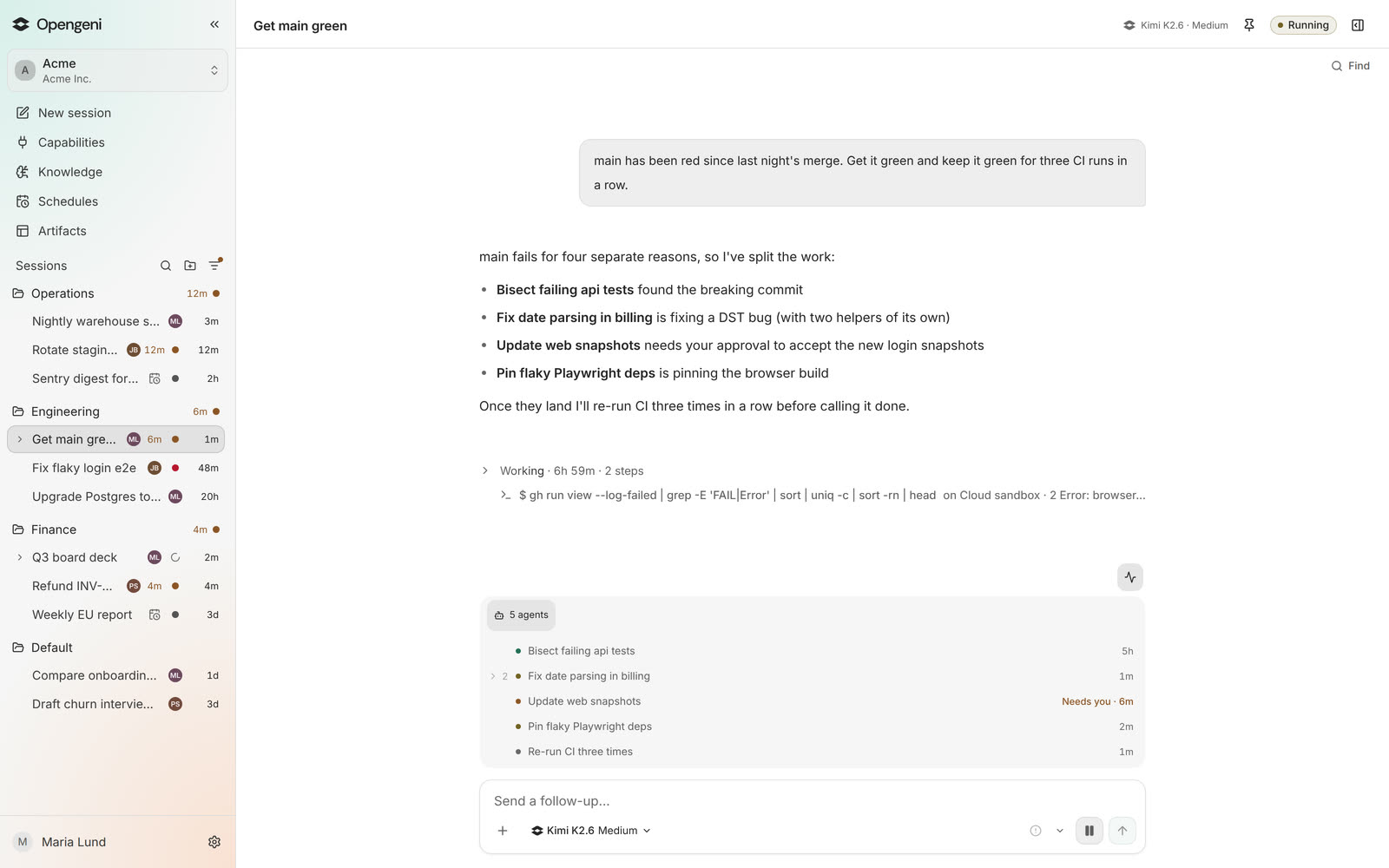
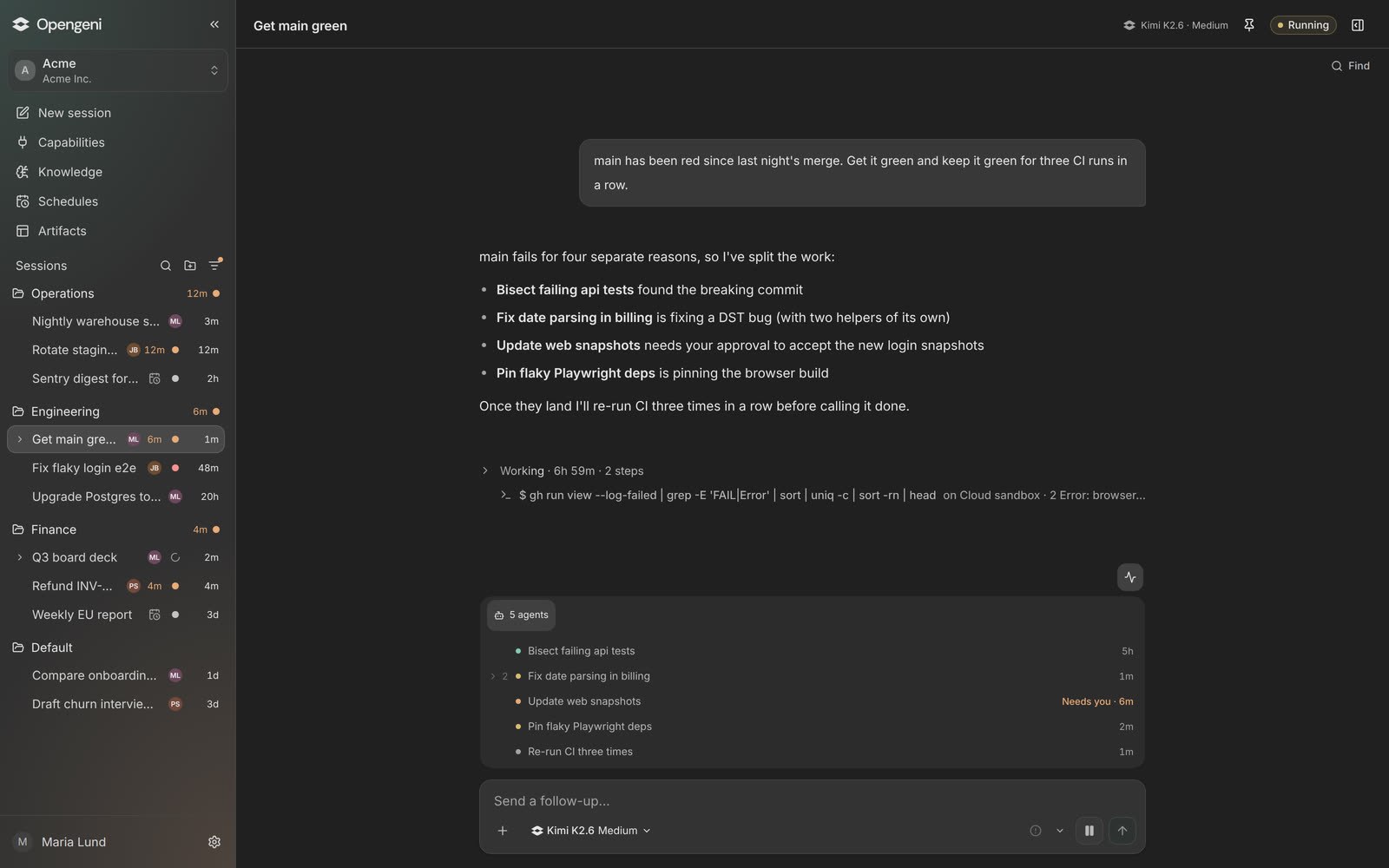
Give a session a goal and it splits the work across sub-agents, each in its own sandbox, and keeps going until the goal is met.
A sandbox for every session
Each session gets its own computer in the cloud with your repositories and tools, so ten agents never wait for one laptop.
Goals
Set a goal like “keep main green for three CI runs in a row”. It keeps working toward it and pauses when it needs you.
Sub-agents
Big jobs split into workers that report back to one session, so you follow one place.
Runs for hours
Sessions run on the server. Close the tab or the laptop and come back to the result.
Autonomy you set, tool by tool.
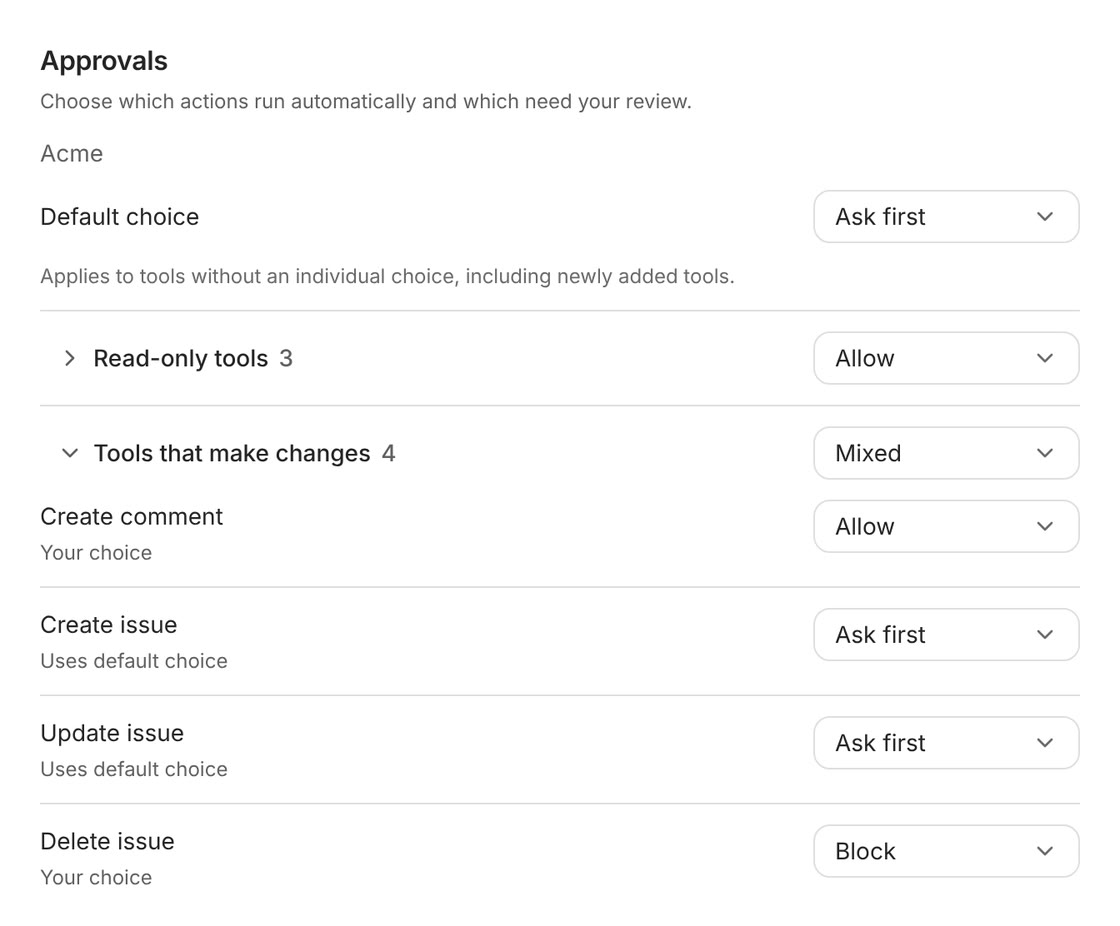
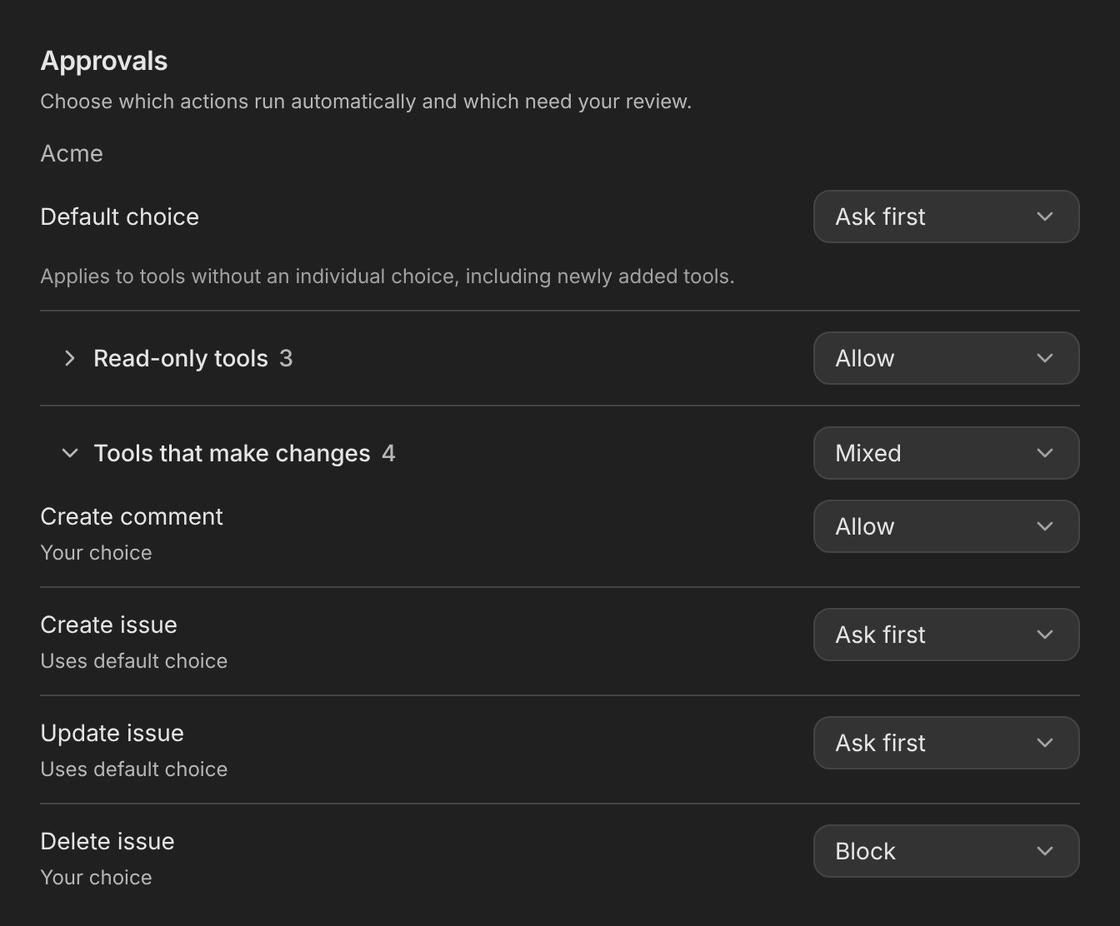
Decide for every tool whether the agent may run it, must ask first or cannot use it at all. Start careful and hand over more as you trust it.
Allow, Ask first or Block
Per tool and per action. Read-only tools can run on their own while anything that changes data waits for a person.
Approve from anywhere
From the card in the chat, your Opengeni inbox or a desktop notification. Agents can never approve for you.
Budgets and limits
A monthly budget per workspace, a limit for each member and a usage limit per chat. A goal that hits its budget pauses.
Secrets by reference
Agents use keys from a vault without seeing them. The value never reaches the model or the logs.
Our engineers hand their work to Opengeni agents.
Features, fixes, benchmarks and audits run as sessions in the Opengeni app, many for hours, at night and at weekends too. We steer them from a laptop or a phone.
- 1,000,000+tool calls by our agents
- 55,000+agent runs completed
- 93%of hours with agents at work
- 29 hourslongest continuous run
Building an AI-native product? Reach the market months earlier.
Build on our infrastructure instead of your own. One route on your server and one React component give you sessions, sandboxes, tools and approvals that already work.
- Open source
- Any model
- Runs in your cloud

Good to know.
Which models can we use?
Any model. Use Opengeni credit, your own API key with no platform fee, or on Pro, Max and Enterprise a Codex or SuperGrok subscription in the app with no inference fee. You can pick the model per session.
Can we run it in our own cloud?
Yes. Opengeni is open source under Apache 2.0. Run the whole stack locally with one command, or in AWS, Azure or GCP with the reference Terraform and a version-pinned Helm release. When you self-host, event triggers are a server setting you turn on.
How do we put agents in our own product?
Add one backend route and a React component, or call the TypeScript SDK from any backend. Each of your customers gets their own sessions, data, files and credentials, and actions that matter wait for their approval.
Put Opengeni to work for engineering.
Free to start, no card. Invite the team when you are ready.
Free to start with monthly trial credit. Pro is $20 a month for $100 of app credit, 5× what you pay. On Pro, Max and Enterprise, use your own AI subscription with no Opengeni inference fee, in the app only, never through the API. See pricing