Hand off work that takes hours, or days.
Give the agent a goal, not just a prompt. It plans, runs, checks back on its own schedule and keeps going until the job is done or it needs you. No terminal to keep open, no timeouts.
Open source EU-hosted · EU inference
Opengeni gives every agent its own computer in the cloud, plugged into your repos and tools. Hand off work that takes hours, keep your machine free, and let the whole team pick up where you left off. Use any model.
Start free with your Codex or SuperGrok subscription, or add credit as you go.
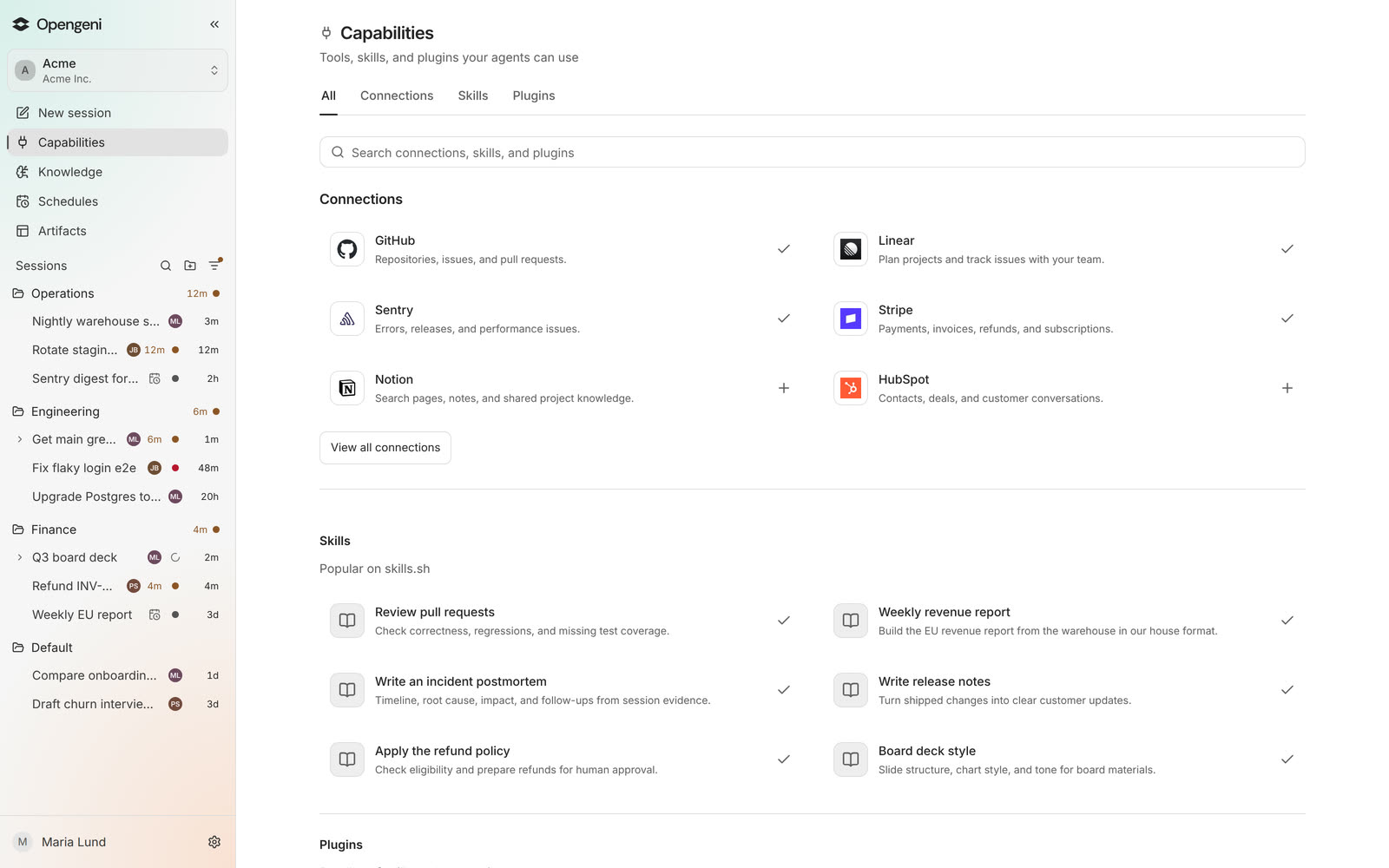
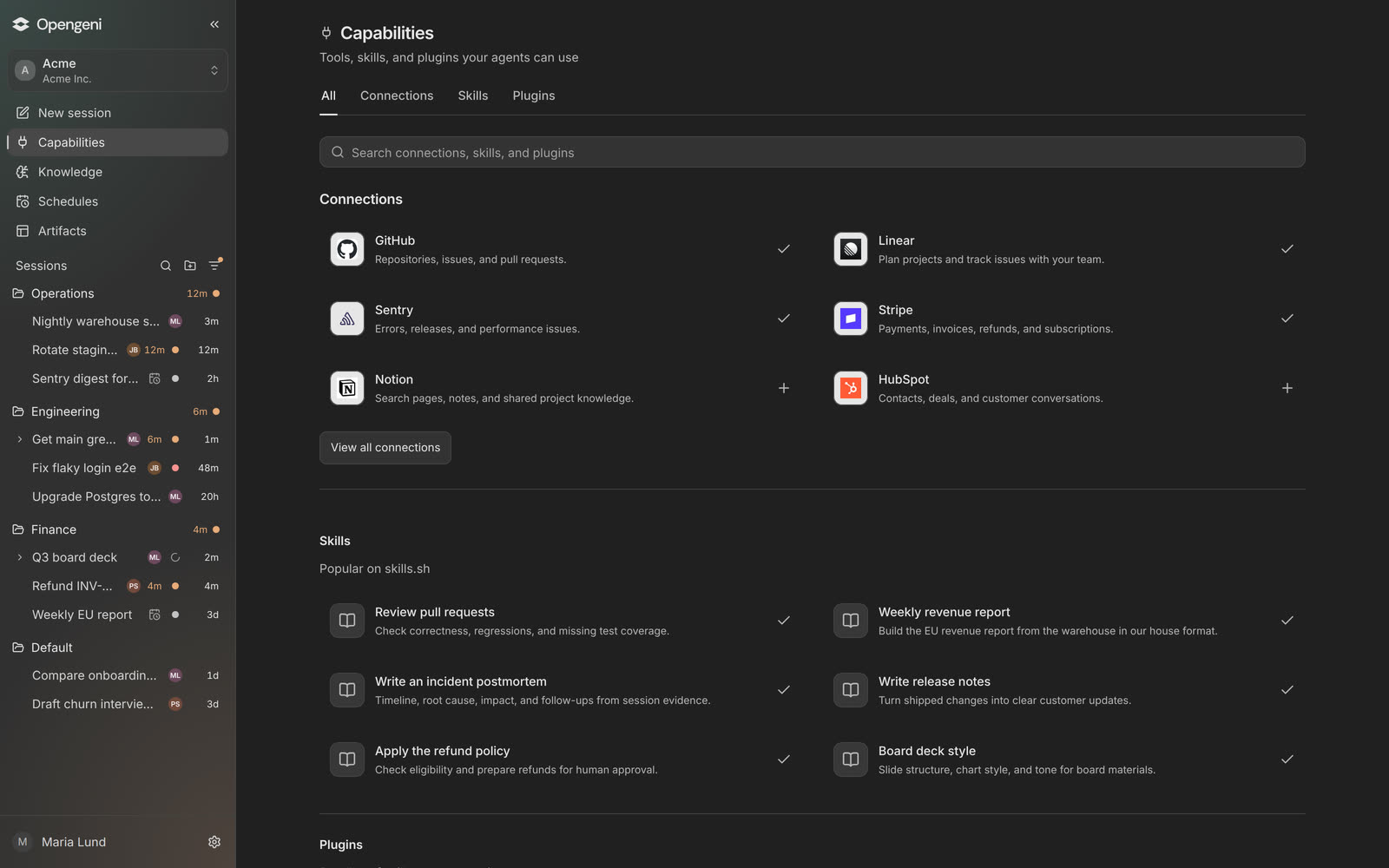
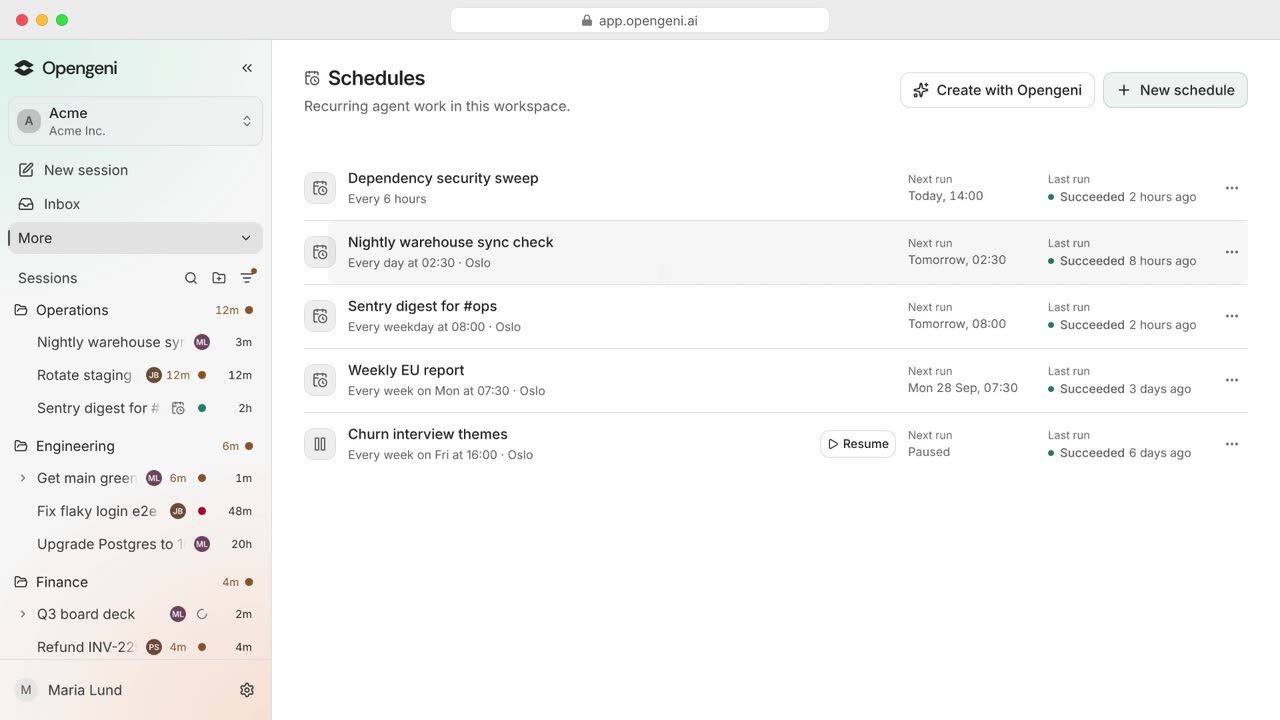
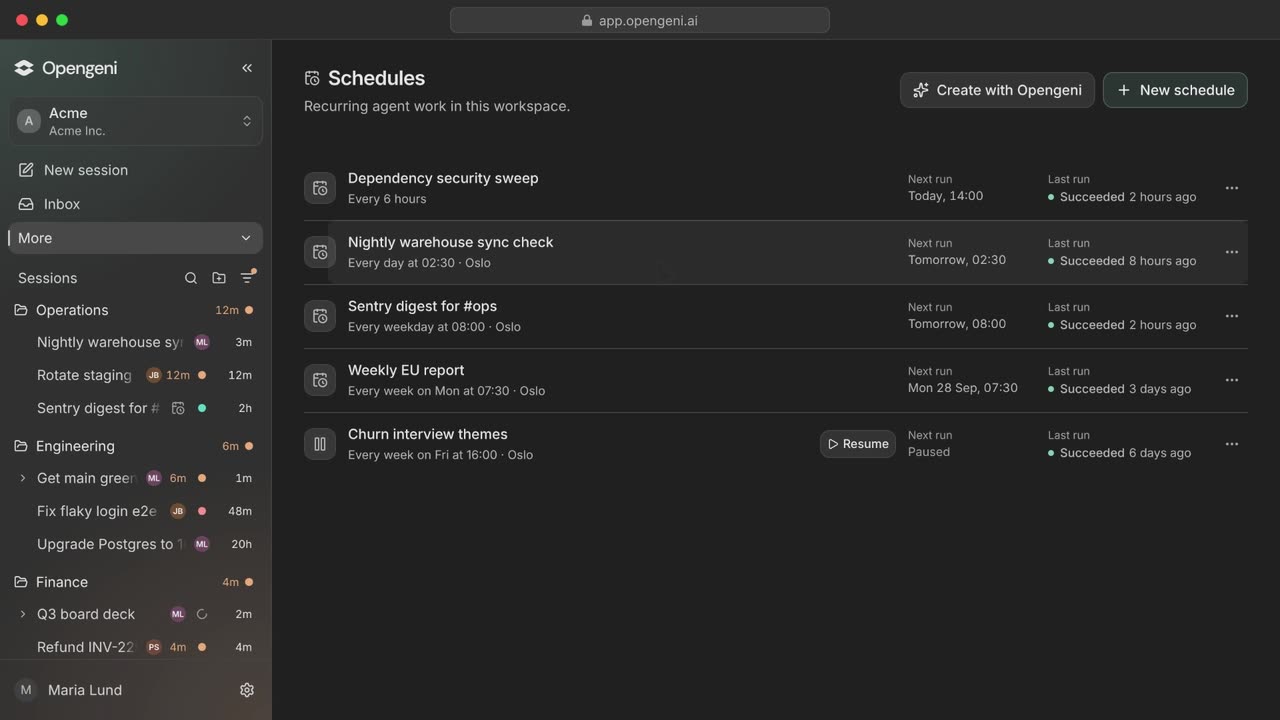
The Opengeni app: asked why the nightly warehouse sync failed, the agent reads the logs, finds an expired token, rotates it, re-runs the sync and reports back.






A coding agent on your laptop is powerful until you close the lid. A self-hosted assistant is always on, but it is one more box to run. A chat bot is easy to reach, but it can't do the work. Opengeni is all three, for the whole team.
The parts every long-running agent needs, already built and running for you.
Give the agent a goal, not just a prompt. It plans, runs, checks back on its own schedule and keeps going until the job is done or it needs you. No terminal to keep open, no timeouts.
Every agent gets its own computer in the cloud with git, a shell, Python and a browser. Run ten at once and your fans won't notice.
Connect GitHub, Slack or any MCP server one time, for the whole workspace or only for you. Every agent can use them from then on.
Keys and tokens are encrypted on the server and filled in only when a tool runs. They never sit on your disk or in the model's context.
Connect your Codex or SuperGrok subscription, add your own API keys, or use Opengeni credit. Pick a different model for each task.
Anyone in the workspace can open a running task, add context or steer it. Pick up a teammate's work without asking them to paste you a transcript.
Members and roles, shared integrations, instructions and knowledge per workspace. Everyone also gets a personal workspace, and any chat can be Only me.
Set each action to Allow, Ask first or Block. Only people can approve, from the web, Slack or your phone.
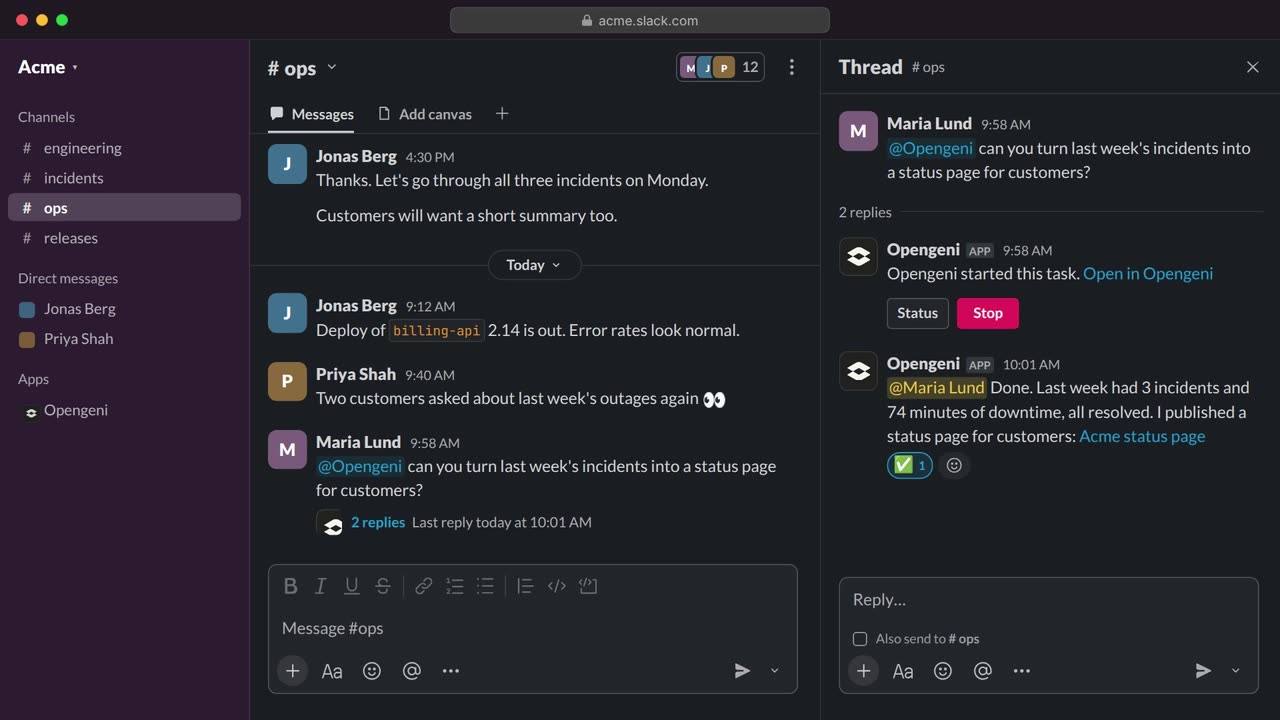
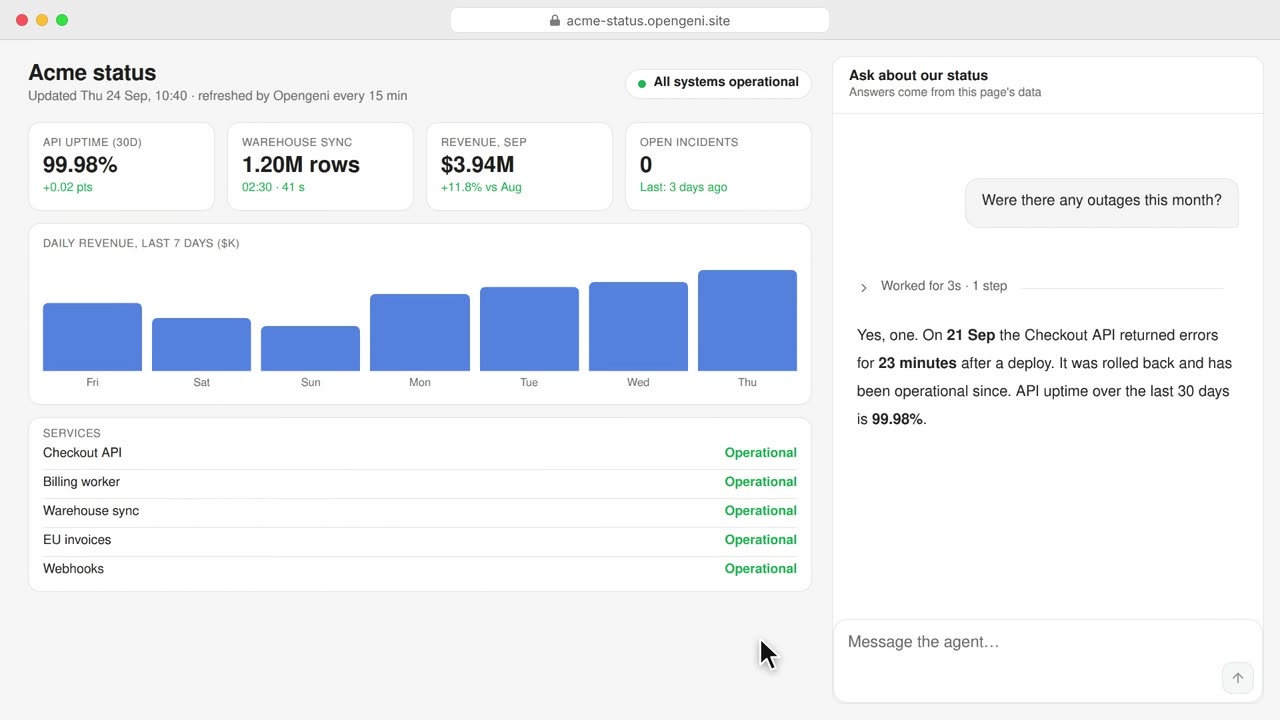
Ask in plain words. The results land in a chat your team can open, or in a Slack channel you pick.
Mention @Opengeni in a Slack thread, open the web app, or check in from your phone. It's the same task everywhere.
You stay the engineer in charge. The agents do the long, careful, boring parts in the background.
A schedule went through last night's Sentry errors and flagged the two that started with yesterday's release.
“@Opengeni fix the null check behind SENTRY-2291.” It clones the repo on its own computer, reproduces the bug and opens PR #482.
“Upgrade payments to Node 24. Keep going until CI is green.” You set it as a goal and get back to your own work.
Ana opens the same chat: “Skip the legacy webhooks package, we're deleting it.” The agent adjusts its plan.
The goal has been running for almost eight hours. Your laptop goes to sleep. The agent doesn't.
All 1,284 tests pass, PR #491 is waiting for review, and one release-notes post is waiting for your approval on your phone.
Start with agents for your team. The same sessions, tools and permissions power the rest.
The everyday work of an engineering team, handed to agents that run on their own computers. Fixes, upgrades, research, reports and reviews, started from Slack or the web and shared with everyone in the workspace.
Turn your backlog into reviewed pull requests. Hand agents bugs, upgrades and small features: each one works on its own computer, runs the tests and opens a pull request with a full log of what it did. Your engineers review and merge.
Give your customers an assistant that does things, not just answers. It looks up their data, takes actions in your product and asks before anything risky. Drop in our React components or call the API from any backend.
Give agents real work without giving up control: decide what they may do, see everything they did, and choose where your data and models run.
Every model call paid with credit costs the provider's API price plus a 5% markup. A plan is credit that refills every month, worth five times what you pay. On paid plans, calls through your own subscription carry no markup.
No plan, no subscription. Add credit when you need it.
Pro$20/month$100 of usage every month5× your payment in credit.
Max$100/month$500 of usage every month5× credit, for teams running agents all day.
EnterpriseCustomVolume pricingFor larger teams, in our cloud or yours.
Open source under Apache 2.0. Start in a minute on ours, move to your own cloud when you want to.
Sign in and go. Use your own subscription, or add credit and pay the provider's API price plus a 5% markup.
Our Helm chart on any Kubernetes, with Terraform for AWS, Azure and GCP.
$ git clone https://github.com/Cloudgeni-ai/opengeni.gitWant an agent on a specific box? Install the Opengeni agent on an always-on Mac or Linux machine and send tasks to it. It dials out, so no open ports.
Connect a machineOpengeni is Apache 2.0, down to the deployment tooling, and the same code runs our cloud. Ask questions, share what you build and help decide what comes next.
The agent gets its own computer in the cloud instead of borrowing yours. It keeps working when your laptop sleeps, you can run many tasks at once, your tokens and keys stay in an encrypted vault, and your teammates can open and continue the same chat. You can start it from Slack or your phone, not only from a terminal.
Most of what you would do in a terminal: clone repositories, run commands and tests, install packages, edit files, use git and the GitHub CLI, run Python and browse the web. It can also build documents, spreadsheets and small sites, and use every tool connected to the workspace.
On the server, encrypted, never on your machine. Keep logins, API keys and one-time codes in a vault in Opengeni, or connect your password manager. The agent only ever writes a reference: the real value is filled in at the moment a tool runs and never enters the model, the transcript or the logs. Every use is recorded.
Connect a Codex or SuperGrok subscription, or a key for OpenAI, Azure OpenAI, OpenRouter or Vercel AI Gateway. Calls through your own subscription or key use no Opengeni credit. You can pick a different model for each task.
Yes. An organization holds many workspaces, each with its own members, roles, integrations and knowledge. Chats in a shared workspace can be opened and continued by its members, and everyone gets a personal workspace and Only me chats for private work.
Opengeni is open source and free to self-host. On our cloud, Free has no fee and includes $10 of usage every month, or add credit as you go. Pro is $20 a month for $100 of usage and Max is $100 a month for $500. Model calls paid with credit are charged at the provider's API price plus a 5% markup, and when the monthly credit runs out you keep going pay-as-you-go. See pricing.
On our cloud, the app's data (chats, files, workspaces and logs) is stored on Microsoft Azure in the EU. Each request goes to the model you pick: some run in Azure's EU Data Zone, others elsewhere, and cloud sandboxes are not pinned to a region yet. Every provider and region is listed in our privacy policy. To keep everything in a region you control, self-host.
Yes. Run it on any Kubernetes with our Helm chart, with Terraform for AWS, Azure and GCP. It is the same Opengeni as our cloud. Your chosen model and tool providers still process the requests you send them.
Start in a minute. Your laptop will thank you.